Help / Final videos & publishing
Performance
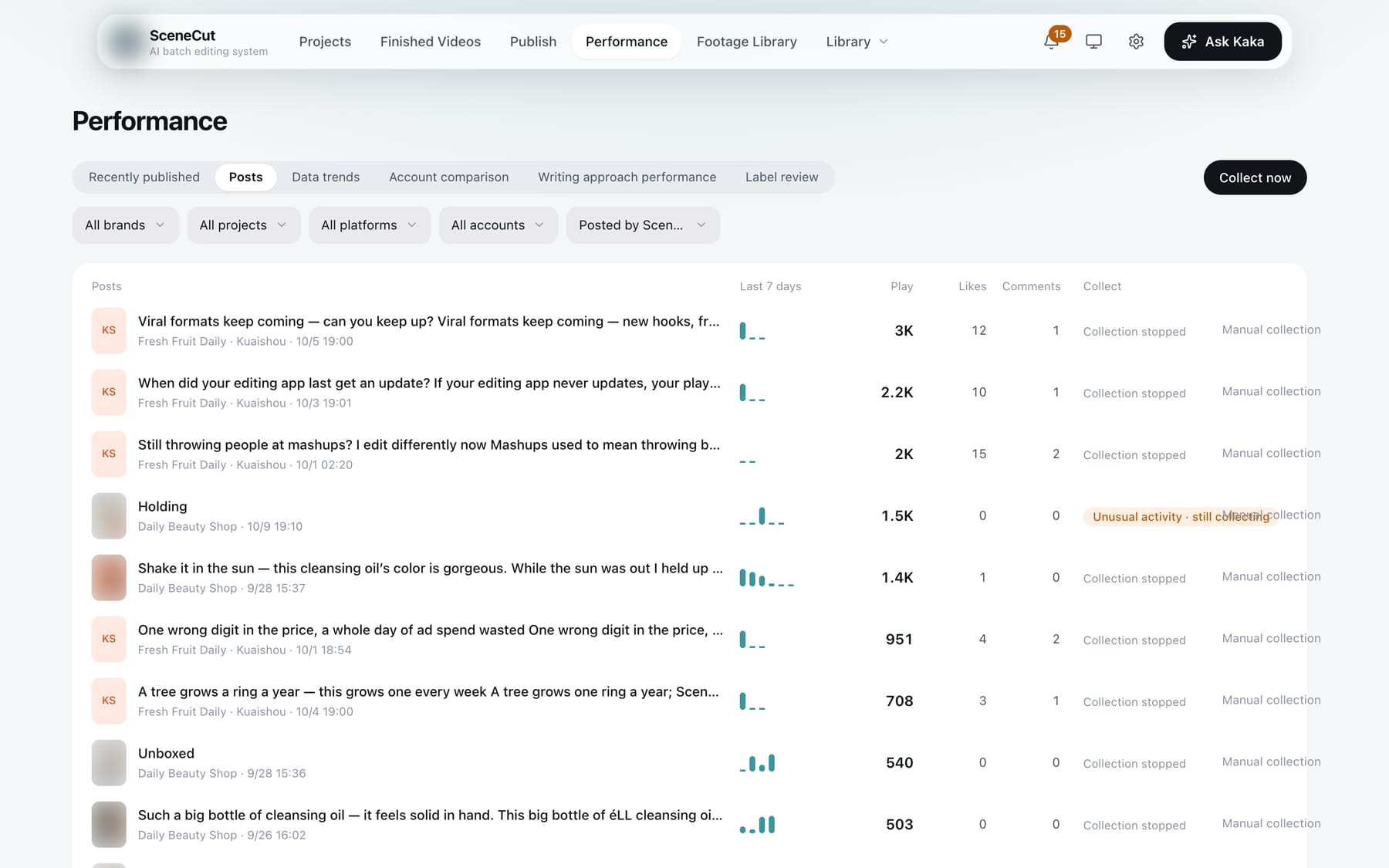
All post-publishing data is under “Performance” in the top navigation. Tabs: Recent posts, Posts, Trends, Account comparison, Writing effectiveness, Tag check. The second row filters by brand, project, platform and account. The “Data” tab inside a project also jumps here, already filtered to that project.
- Recent posts: posts published in the last 3 days. See Publish history.
- Posts:
- Click “Collect now” (collects posts first, then data). Collection also runs automatically every day at 00:00;
- “Source” filter: Published by SceneCut (default), Existing on account, All sources;
- Each post’s account, platform and publish time are shown below its title. On the right are a small bar chart of new views per day over the last 7 days, plus views, likes and comments; hover over the view count to see shares and saves. The review status is only shown when it is not “Published”;
- “Manual collection”: collect for 3 days from today, 7 days from today, or keep collecting until you stop it. Manually collected posts are collected once a day at 00:00 and return to the normal collection rules when the period ends. Posts already under manual collection show “Change collection”, which contains “Stop manual collection”.
- If yesterday’s data wasn't collected because a login expired, the bell reminds you to scan again. After you scan the same day, the data is collected automatically.
- Trends: choose the last 7, 30 or 90 days.
- Account comparison, Writing effectiveness.
- Tag check: click “Start inferring” and mark each item “Correct / Incorrect”.
- Finished Videos details and script details still show the data of that individual video.
- Taking off: in script details, use “More → Mark as taking off”. Scripts whose data performs well are marked “Taking off · by data” automatically.