
Help / Final videos & publishing
Overseas platforms: TikTok, YouTube, Instagram
Overseas platforms need the Multilingual edition (the Chinese edition's foreign-language trial also works). Accounts are managed in “Settings → Settings → Accounts”; publishing, scheduling and performance data work the same way as for China platforms. See Publish and Performance.
Add an account
- Click “Add account”, choose the platform (TikTok / YouTube / Instagram) and enter the account name: your shop name or username, no phone number needed.
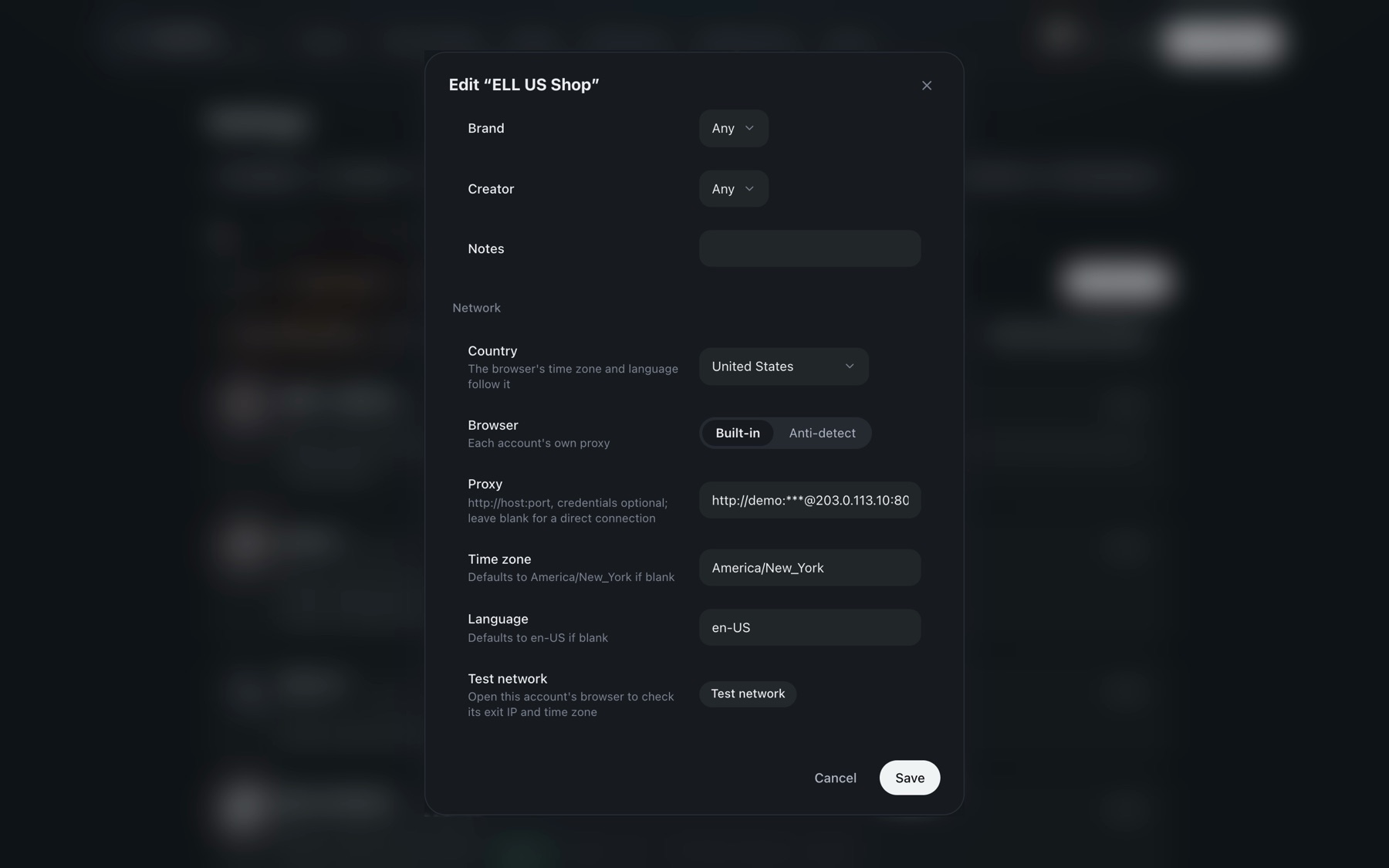
- Under “Network”, choose the country the account is in. The browser's time zone and language follow it.
- Then choose one:
- Built-in browser: enter this account's proxy (
http://host:port, optionally with a username and password; the password is stored encrypted, and you need to re-enter it after changing the proxy address or username). Leave it empty for a direct connection. - Anti-detect browser: enter the AdsPower profile ID (turn on “Local API” in AdsPower settings first; the default address is http://127.0.0.1:50325). The proxy and fingerprint come from that profile. Accounts on an anti-detect browser aren't checked on a schedule.
- Built-in browser: enter this account's proxy (
- “More → Edit profile” has “Test network”: it shows which country your exit IP is in and whether the time zone matches.
Log in
- Click “Log in” and a browser window opens. Enter your username and password and complete two-step verification in that window yourself; SceneCut detects when you're logged in.
- SceneCut never reads or stores your platform password.
Test posts
Until a test post succeeds on your own computer, each of the three platforms only allows “Rehearsal” (fill in everything without posting) and private test posts visible only to you. Instagram Reels can only be public, so Instagram allows rehearsals only.
After a test post succeeds and you've checked it in the platform's post list, click “Mark as test post verified” on the account. Only then can you publish normally and schedule posts.
Scheduled posts
- TikTok: from 15 minutes to 10 days ahead.
- YouTube: a scheduled video goes public at the set time; it can't be combined with “Only me”.
- Instagram: scheduling isn't available on the web.
Product links
- TikTok: paste the TikTok Shop product link (or product ID) in the publish form; the account needs a TikTok Shop showcase.
- YouTube: enter the product's name as it appears in your store; the channel needs YouTube Shopping.
- Instagram: product tags aren't available on the web.
If product linking is on but the product can't be attached, the video isn't posted.
Performance data
Views, likes, comments and other data for published posts are collected automatically every day and shown in “Performance” together with China platforms.