
Help / Making videos
Reshoot list
The reshoot list shows the shots the scripts need and whether the footage has them.
- In the project's “Reshoot list” tab, there's one list for the whole project. With several script batches, the dropdown at the top right lets you view just one batch; the default is “All batches”. When you open it from the “Reshoot list” link on a batch page, only that batch is shown.
- The list is built from the scripts you make videos from; scripts still in To review that haven't been made into videos aren't included.
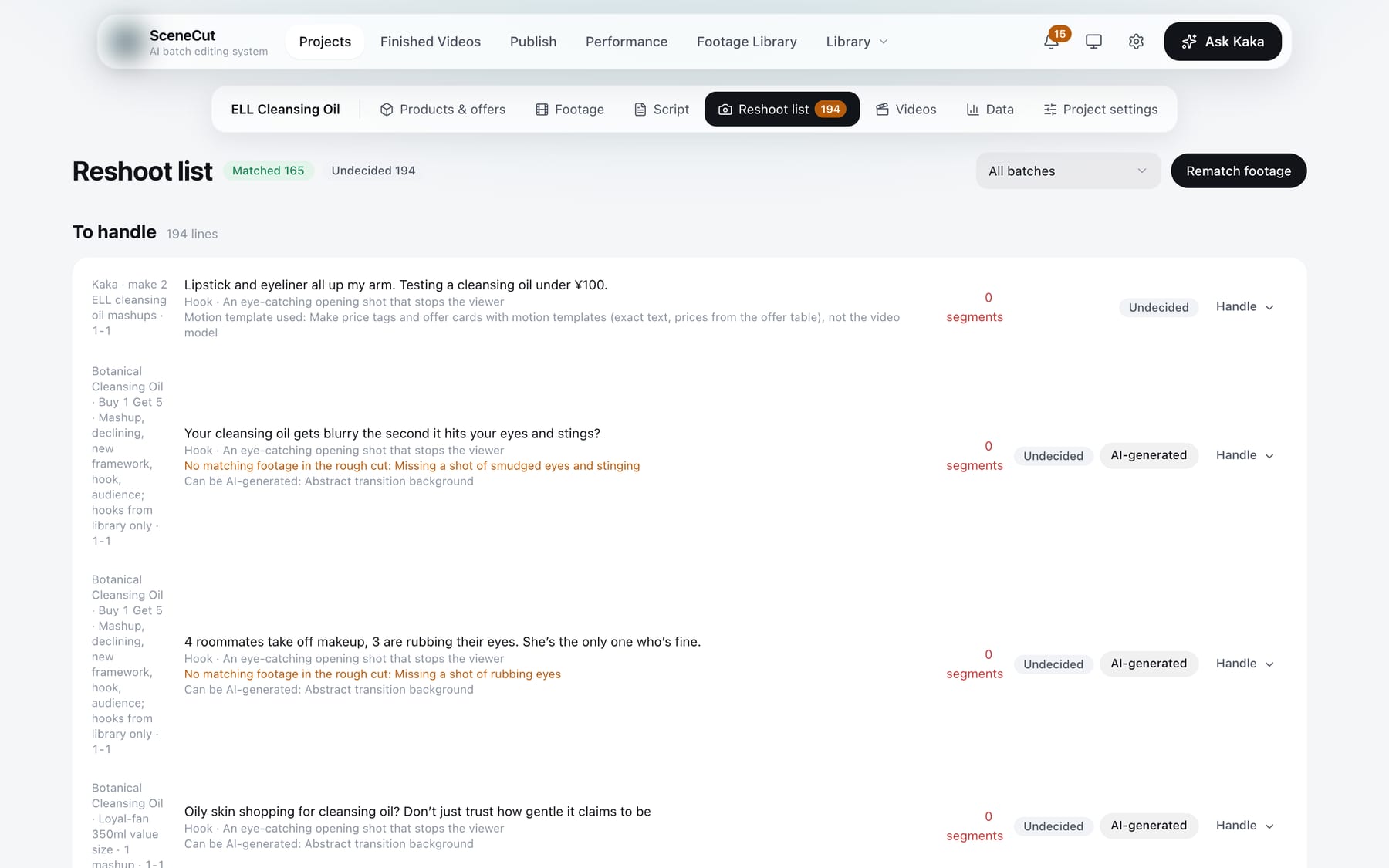
The page has three sections: “Offer shots”, “To handle” and “Matched”. For each row:
- AI suggests one of three things: “Can be AI-generated”, “Reshoot with real people: reason” or “Use a motion template: reason”.
- In the “Handle” dropdown, choose: reshoot / generate with AI / rewrite the line / delete the line / undecided.
- Rows matched by new footage show “Reshot” or “Reshot (AI)”; click “Confirm” once you've checked them.
- For rows suited to AI generation, click “AI-generated”:
- Click “Make draft · N standard seconds” to see how it looks first.
- If you're happy with it, click “Generate final version · N standard seconds”.
- Click “Add to library”; if it needs you to take a look, the button is “Reviewed, add to library”. Once added, the row changes to “Reshot (AI)”.
- If you're not happy, click “Fail and send back” or “Discard”. For ones that didn't pass, you can click “Rewrite the plan with this feedback (N left)”.
- Generation is deducted from your subscription quota in standard seconds. The button shows how many seconds this run will use, and clicking it starts generating right away.
- While a row is generating, its button changes to “View”. Closing the window doesn't stop generation.
- After adding new footage, click “Rematch footage” to update the list.
Shots of proof, experiments, before-and-after comparisons and real people talking to camera can only be reshot with real people.