
Connect a model
Writing scripts, analyzing footage, and editing videos all need a large language model. You connect the model yourself, using your own account and quota. Until a model is connected, you cannot write scripts, analyze footage, or make videos, and Notifications reminds you to “Connect a model”.
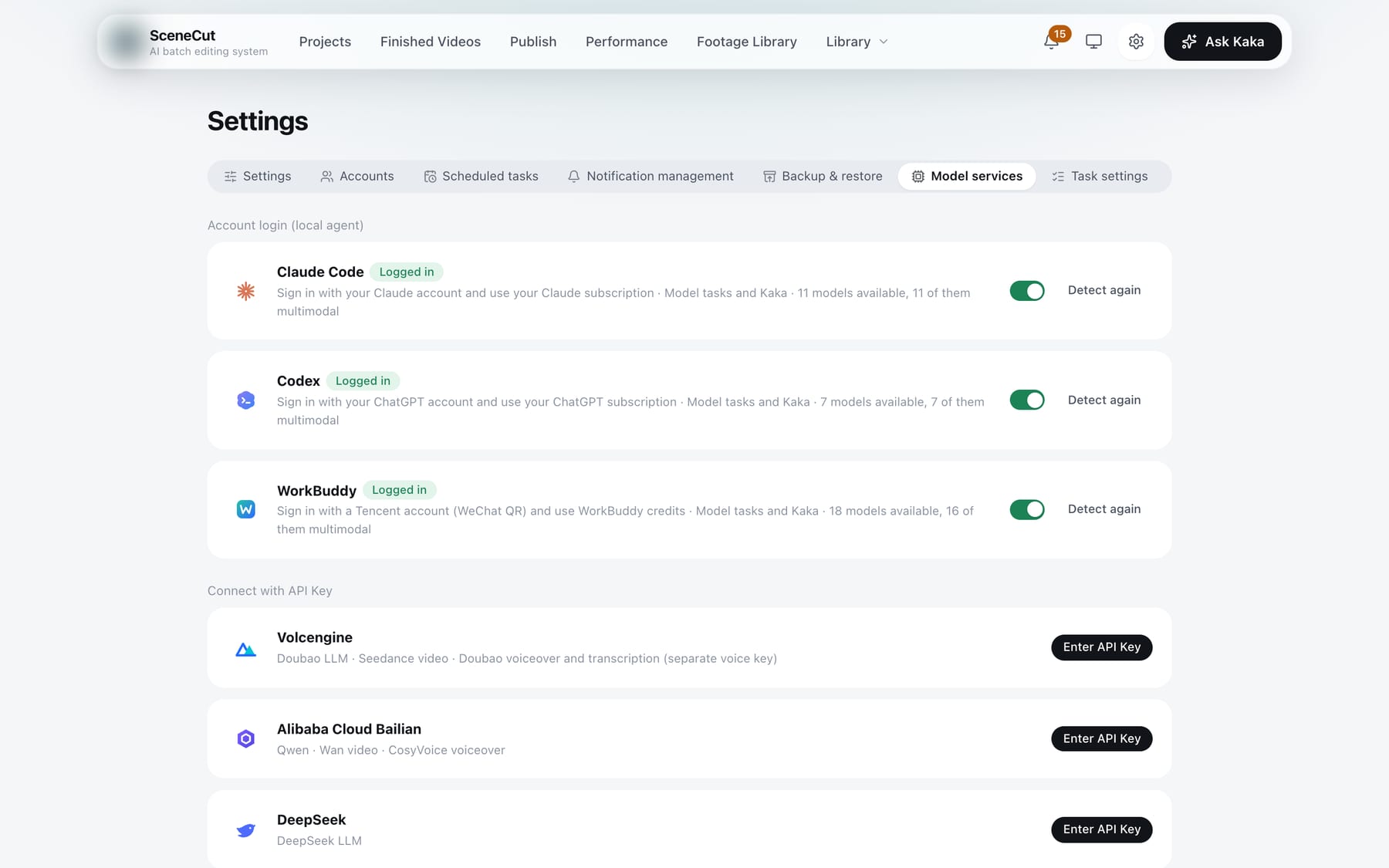
Where: the gear icon in the top-right corner → the “Model services” tab. The page has two sections, “Account login (local agent)” and “Connect with API Key”. Pick any one of three methods.
| Method | Best for |
|---|---|
| WorkBuddy | First-time users who want to start right away: log in by scanning with WeChat, free models included |
| API Key for a Chinese model | You already have an account with Doubao, DeepSeek, Qwen, Kimi, GLM, or similar |
| Claude Code, Codex | You already use them and can reach their services |
WorkBuddy: scan with WeChat
- Under “Account login (local agent)”, find WorkBuddy and click “Log in”.
- The app opens a browser page. Scan the code with WeChat and confirm on your phone. While it waits, the button shows “Waiting for login”.
- When the card shows “Logged in”, you are connected. Below it, the card shows how many models are available and how many of them are multimodal.
Enter an API Key
- Under “Connect with API Key”, find your platform: Volcengine (Doubao), Alibaba Cloud Bailian (Qwen), DeepSeek, Zhipu (GLM). OpenAI and Anthropic API Keys are also supported (you need to be able to reach their services). For Kimi and other providers, choose “Other OpenAI-compatible” and also enter the endpoint URL.
- Click “Enter API Key” and paste the key. The card tells you where to get it, for example “Volcengine Ark console → API Key management”.
- Click “Save and test”. When it shows “Connected”, you are done.
After connecting:
- To change the key: click “Edit”, paste the new key, and click “Save and test” again.
- To stop using it for now: turn off the switch on the card.
Claude Code, Codex: account login
SceneCut can connect to Claude Code and Codex using your own account and subscription quota. When SceneCut works through them, it does not leave sessions in your own Claude Code or Codex.
- Under “Account login (local agent)”, find Claude Code or Codex and click “Log in”.
- In the browser that opens, confirm with your own account (a Claude account for Claude Code, a ChatGPT account for Codex).
- If the browser didn't open: click “Browser didn't open? Click here”.
- If the page gives you an authorization code: paste it into the box on the card and click “Submit”.
- When the card shows “Logged in”, you are connected.
Login expired
When a local agent goes offline, its card shows “Login expired” and Notifications reminds you too. Click “Log in” on the card or in the notification to log in again.
Task settings
When you connect your first model service, task settings are filled in automatically and usually need no changes. To switch models: in the “Task settings” tab, model tasks are grouped into 8 categories: footage, products & offers, benchmark breakdown, scripts, editing, video check, publishing, and Kaka. Choose one model per category; under each row is the list of tasks the category covers. Categories that need to see images or video can only use multimodal models; if the selected model is not multimodal, the dropdown says “not multimodal; choose another”.

Voiceover, transcription, and AI video need no setup
Voiceover, transcription, AI video, and benchmark collection are provided by us:
- Each seat gets a monthly allowance that resets with your billing cycle and does not carry over to the next month.
- When it runs out, buy an add-on pack in the online console. Check usage under “Subscription” in the top-right corner.
- AI video is charged in “standard seconds”; before generating, the button shows how many seconds will be used.
- Choose voices in “Library → Voices”. Voice cloning slots are not part of the monthly allowance and are sold separately (¥199 each, each can be trained 15 times).
Trial
Without an activation code, click “No activation code? Sign up for a trial in the console” on the activation page. The trial lasts 7 days; one trial per account and per computer. During the trial you also need to connect your own large language model. WorkBuddy is a good place to start.